
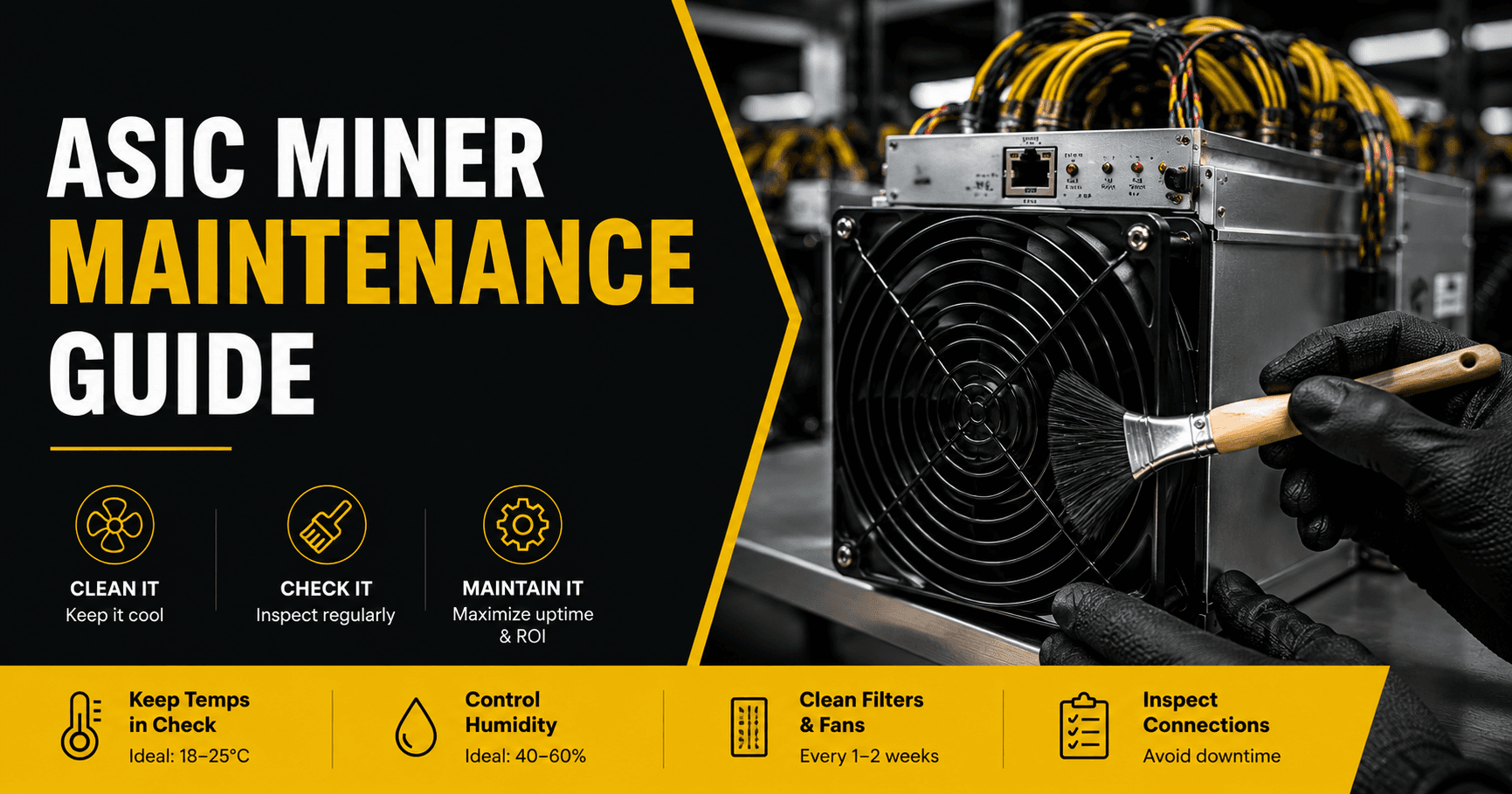
Proper ASIC miner maintenance means cleaning dust from heatsinks and fans every 6 to 12 weeks, monitoring temperatures and error rates weekly, and replacing worn fans before they fail. In the UAE, heat and dust make this schedule tighter than in cooler, cleaner climates.
A dirty or overheating miner does not usually shut down outright. It quietly loses hashrate as firmware throttles performance to protect the chips, which is why routine monitoring matters as much as cleaning.
This guide covers the full schedule, the cleaning procedure, temperature and humidity targets, and the warning signs that mean it is time to call a repair technician. For the bigger picture on how maintenance affects hardware longevity, see how long an ASIC miner lasts.
Key Takeaways
- Clean heatsinks and fans every 6 to 12 weeks, more often in dusty UAE environments.
- Check the dashboard weekly for hardware error rates, fan RPM, and temperature spikes.
- Target an intake air temperature of 15 to 35°C and relative humidity of 40 to 60%.
- Fans typically need replacement every 1 to 2 years, sooner if they show roughness or noise.
- Always power down and unplug a miner before opening it for cleaning.
- Keep firmware updated for improved thermal management and stability.
- Hosted miners receive professional maintenance as part of the service, unlike home setups.
Why Maintenance Matters More in the UAE
Every ASIC miner needs regular care, but the UAE's climate raises the stakes. Ambient temperatures above 40°C for much of the year push cooling systems closer to their limits before dust or wear even become factors.
Fine dust and sand are also more common here than in temperate, humid markets. Left unmanaged, dust builds an insulating layer on heatsinks and clogs fan intakes faster than most owners expect.
The result is a maintenance schedule that runs tighter than the general guidance found in most international mining resources. Skipping a cleaning cycle in the UAE costs more hashrate, faster, than it would in a cooler climate.
What to Monitor Weekly in Your ASIC Miner
Most maintenance problems show up on the dashboard before they show up as physical damage. A short weekly check catches issues early.
- Hardware error rate, watching for anything above 1 to 2%
- Chip temperature across all hashboards, not just the average
- Fan RPM for each fan, looking for values below rated speed
- Hashrate compared to the machine's rated specification
A hashrate drop of more than 10% below rated specification, without an error alert, often points to dust-related throttling rather than a hardware fault. Catching this early avoids unnecessary component wear.
ASIC Miner Maintenance Schedule
Interval
Task
Weekly
Check dashboard for error rates, fan RPM, and temperature spikes
Monthly
Inspect and clean or replace intake filters
Every 6 to 12 weeks
Full cleaning: compressed air on heatsinks, fans, and vents
Every 12 to 18 months
Inspect thermal paste condition, replace if degraded
Every 12 to 24 months
Proactively inspect or replace fans, even if still running
Annually
Full inspection: cable connections, PSU output, hashboard condition
Dusty or poorly ventilated locations should move toward the shorter end of every interval in this table.
How to Clean ASIC Miner Safely (Step-by-Step)
Cleaning an ASIC miner is straightforward, but the order of steps matters.
Step 1: Power down safely. Shut the miner down through its web dashboard, not by pulling the plug. Abrupt power cuts can corrupt firmware or stress the power supply. Unplug all cables once it is fully off.
Step 2: Remove and inspect filters. If your setup uses intake filters, remove them first. Clean or replace filters that show visible clogging.
Step 3: Clean the exterior and vents. Use compressed air to clear dust from fan grills and ventilation openings. Work in the direction of natural airflow, from intake to exhaust.
Step 4: Clean the fans. Hold each fan blade still while blasting compressed air through both sides, to avoid spinning the bearings too fast. Spin each fan by hand afterward and feel for roughness, which signals bearing wear.
Step 5: Clean the heatsinks. Angle compressed air across the heatsink fins, working from one end to the other. Heavily clogged fins may need a soft, anti-static brush first to loosen compacted dust.
Step 6: Reassemble and verify. Reconnect all cables to their original positions, restart the miner, and compare temperatures, hashrate, and fan RPM to your previous readings. Lower temperatures and steady fan speeds confirm the cleaning worked.
Always work in a static-safe environment and avoid touching circuit boards directly with bare hands where possible.
Temperature and Humidity Guidelines for ASIC Miner
ASIC hardware is designed for conditions closer to a data center than a typical UAE room in August.
Condition
Target Range
Intake air temperature
15°C to 35°C
Chip temperature (sustained)
Below manufacturer-rated maximum, generally under 80°C
Relative humidity
40% to 60%
Running consistently near the top of the chip temperature range accelerates wear on solder joints and internal chip connections. Humidity outside the target range brings its own risks. Too dry increases the chance of static discharge during handling, while too humid risks condensation and corrosion on metal surfaces.
Positive-pressure filtered airflow, where clean air is pushed into the mining space faster than dust can enter, is one of the most effective long-term strategies against both heat and dust buildup.
Fan Maintenance and Replacement in ASIC Miner
Fans fail more often than any other component on an ASIC miner. They run at high RPM for years in hot, sometimes dusty conditions, and their bearings wear out over time.
Watch for these warning signs.
- Fan RPM reported below the manufacturer's rated speed
- Visible wobble at the fan hub
- Grinding or rattling noise
- Rising chip temperature despite clean heatsinks
Replace a struggling fan before it fails completely. One dead fan forces the remaining fans to work harder, which speeds up their own wear and can cascade into multiple failures within weeks. Match replacement fans to the original specification for voltage, connector type, and airflow rating.
Firmware and Software Maintenance in ASIC Miners
Manufacturers release firmware updates that improve thermal management, fix bugs, and refine chip performance. Keeping firmware current is a simple, no-cost way to protect hardware.
Some operators use third-party firmware for more granular control over frequency, voltage, and fan curves. This can help balance performance against heat in a hot climate, but changes should be tested carefully before wide deployment.
ASIC Miners’ Warning Signs You Need Professional Repair
Some issues go beyond routine cleaning and call for a qualified technician.
- Hashrate consistently more than 10% below rated specification after cleaning
- One or more hashboards not detected by the control board
- Hardware error rate persistently above 1 to 2%
- Fans running at maximum RPM without reaching normal temperatures
- Burnt smell or visible discoloration on components
- Power supply clicking, buzzing, or failing to start reliably
Do not keep running a miner showing any of these signs. A small, caught-early issue is usually a simple repair. Left running, it can cause cascading damage that turns a minor fix into a full hashboard replacement.
Maintenance for Hosted Miners vs Home Miners
Maintenance responsibility shifts significantly depending on where your miner runs.
Home mining puts the full schedule above on the owner. This includes sourcing tools, scheduling downtime, and diagnosing issues without on-site technical support.
Hosted mining shifts routine cleaning, cooling management, and much of the monitoring to the facility's team as part of the service. This is one of the practical reasons hosting appeals to buyers who want the hardware benefits without the hands-on upkeep.
Review current ASIC hosting options in the UAE if ongoing maintenance is a bigger factor in your decision than the setup steps alone. For the full home-versus-hosting breakdown, see how to set up an ASIC miner in the UAE.
FAQ About ASIC Miner Maintenance
How often should I clean my ASIC miner in the UAE?
You should clean your ASIC miner every 6 to 12 weeks to remove dust and keep it running efficiently. In the UAE, where dust levels can be higher, miners in dusty or poorly ventilated areas may need cleaning more frequently to prevent overheating and performance loss.
What tools do I need for basic ASIC miner maintenance?
Basic maintenance only requires a few simple tools, including compressed air, an anti-static brush, and replacement air filters if your setup uses them. A multimeter is also helpful for checking power connections and ensuring your miner receives stable electricity.
Can I clean my miner without turning it off?
No. Always shut down the ASIC miner through its management dashboard, disconnect it from the power source, and allow it to cool before cleaning or opening the case. This helps prevent electrical damage and keeps you safe.
How do I know if a fan needs replacing rather than cleaning?
A fan should be replaced if it makes grinding or unusual noises, wobbles while spinning, feels rough when turned by hand, or runs below its normal RPM even after cleaning. Replacing a worn fan helps prevent overheating and protects the miner's internal components.
Does maintenance really affect profitability?
Yes. Regular maintenance helps your ASIC miner stay cool and operate at full performance. Dust buildup and poor cooling can reduce the miner's hashrate through automatic thermal protection, which lowers your mining output and reduces overall profitability.
Is maintenance included with hosted mining?
Many ASIC hosting providers in the UAE include routine maintenance, cleaning, and cooling management as part of their hosting service. However, the level of support varies between providers, so it's always a good idea to review the service agreement before signing up.
Comments